
Updated October 2026: rewritten around open source backup tools that are still maintained, with current versions and licenses.
For a handful of Linux servers, the best open source backup software is restic or BorgBackup, pushing encrypted, deduplicated snapshots to a machine in another building. If you need open source enterprise backup, with a central server, a job catalog, tape support and hundreds of clients, use Bareos or Bacula and set aside a few days to learn them. Databases need their own tools: pgBackRest for PostgreSQL and Percona XtraBackup for MySQL.
That’s the short answer. We first wrote this post in 2018, when we were looking for an open source supplement to R1Soft, a commercial backup product. Plenty has changed since then. Kopia and Proxmox Backup Server have matured, Amanda has gone quiet, and Borg 2.0 is still in beta. What follows is what’s actually maintained as of October 2026, checked against each project’s own releases.
Open source backup software compared
| Tool | Type | Best for | Dedup / encryption | License | Latest stable (Oct 2026) |
|---|---|---|---|---|---|
| restic | File-level, CLI, no server needed | Linux servers backing up to S3, SFTP or a REST server | Yes / Yes (always on) | BSD-2-Clause | 0.19.1 |
| BorgBackup | File-level, CLI, SSH repos | Linux servers backing up over SSH | Yes / Yes | BSD-3-Clause | 1.4.5 (2.0 in beta) |
| Kopia | File-level, CLI and desktop GUI | Mixed Windows, macOS and Linux machines | Yes / Yes | Apache-2.0 | 0.23.1 |
| Bareos | Client/server network backup | Large fleets, tape libraries | Via a deduplicating filesystem / Yes | AGPLv3 | 25.1.1 |
| Bacula (community) | Client/server network backup | Large fleets, tape libraries | Via a deduplicating filesystem / Yes | AGPLv3 | 15.0.3 |
| UrBackup | Client/server with web UI, file and image | Small offices, Windows desktops and servers | Identical files stored once / Secured Internet-mode transfers | AGPLv3 | Server 2.5.38 |
| Proxmox Backup Server | Backup server for VMs, containers and hosts | Proxmox VE clusters | Yes / Yes (client-side) | AGPLv3 | 4.2 |
| Duplicati | File-level, web UI | Desktops and small servers backing up to cloud storage | Yes / Yes (AES-256) | MIT | 2.4.0.0 |
| rsnapshot | rsync plus hard-link snapshots | Simple local or SSH snapshots | Hard links only / No | GPLv2 | 1.5.1 |
| pgBackRest | PostgreSQL physical backup | PostgreSQL with point-in-time recovery | Incremental / Yes | MIT | 2.59.2 |
| Percona XtraBackup | MySQL physical hot backup | Large InnoDB databases | Incremental / Yes | GPLv2 | 8.4.0-7 |
Versions are the latest stable releases listed on each project’s site or release tags on October 2, 2026. Most of these ship several times a year, so check before you deploy.
File-level backup: restic, BorgBackup and Kopia
These three share a design. A client chops files into chunks, deduplicates them across every snapshot, encrypts them, and writes them to a repository. There’s no backup server to run. That’s why they’re the usual answer to “open source server backup software” for a small fleet.
restic
restic is one Go binary. Encryption is always on, and the same repository can live on local disk, SFTP, restic’s own REST server, Amazon S3 or any S3-compatible store, with dozens more backends reachable through rclone. That makes it the easiest open source cloud backup client to recommend. Point it at a bucket and go.
What it doesn’t have: a scheduler, a GUI or any central management. You bring cron or a systemd timer, and you keep track of each server’s repository yourself. For ten servers that’s fine. For three hundred, you’ll want something with a catalog.
BorgBackup
Borg was our favorite in 2018 and it’s still a good pick. It deduplicates, compresses and encrypts, and you can mount any archive with FUSE and browse it like a normal directory, which beats hunting through tarballs during an outage. The stable line is 1.4 (1.4.5 as of July 2026). Borg 2.0 has been in beta for a long time and uses a new repository format, so keep production on 1.4 until 2.0 ships a final release.
Borg 1.4 needs SSH or a mounted filesystem for its repository. There’s no native S3 support. Our old complaint, that Borg needed a third-party wrapper and cron to be useful, is now a non-issue: borgmatic is a mature, actively developed wrapper (2.1.9, September 2026) that handles config, retention, consistency checks and database dumps.
Kopia
Kopia works like restic but adds a desktop app for Windows, macOS and Linux, plus an optional repository server for many clients. If you’re after open source backup software for Windows machines alongside Linux servers, start here. It’s still pre-1.0 (0.23.1), which bothers some people more than it should. The project has been shipping regular releases since 2019.
Open source network and enterprise backup: Bareos, Bacula, UrBackup
“Enterprise” here means a central director that owns schedules, retention and a catalog of every file ever backed up, with lightweight agents on each client and storage daemons writing to disk, cloud or tape. That’s the Bacula model, and Bareos started as a fork of Bacula.
Bareos and Bacula
Both are alive and both are still hard to set up. In 2018 it took us the better part of a day to get the director, storage daemon, file daemon, job, schedule and fileset relationships straight, and that hasn’t really changed. In exchange you get things the file-level tools don’t have: tape and autochanger support, a real catalog, copy and migration jobs between storage tiers, and one place to see what failed last night across hundreds of machines.
Bareos 25 ships its own web UI and gets frequent releases. Bacula’s community edition is at 15.0.3, and a separate company, Bacula Systems, sells an enterprise edition. Neither does block-level deduplication by itself in the community versions; both write volume formats designed for a deduplicating filesystem underneath. Both support TLS between daemons and client-side data encryption.
Pick Bareos if you’re starting fresh. Pick Bacula if you already run it.
UrBackup
UrBackup is the friendliest of the client/server tools. You install a server, install clients on Windows, Linux or FreeBSD, and manage everything from a web UI. Identical files across machines are stored once. It also does image backups, but only through the Windows client and only for NTFS volumes, so Linux bare-metal restores aren’t its strength.
Proxmox Backup Server
If you run Proxmox VE, this is the closest open source alternative to Veeam. It does incremental, deduplicated VM and container backups with client-side encryption, can sync to a second Proxmox Backup Server offsite, and writes to tape. Version 4.2 came out in April 2026. The software is free under the AGPLv3; paid subscriptions add the enterprise package repository and support.
Also maintained: Duplicati and rsnapshot
Duplicati is a web-UI client that encrypts with AES-256 and backs up to almost any cloud or remote storage. It’s popular on desktops and small Windows servers. rsnapshot is the old reliable: rsync plus hard links, a fixed number of snapshots, no encryption, no deduplication beyond unchanged files. Its last release was 1.5.1 in January 2025, but the project still gets commits.
Amanda still shows up on most lists. Its last community release was in 2023 and the code has been quiet since, so we left it out.
Open source database backup tools
Copying a running database’s data directory with a file-level tool gives you a backup you probably can’t restore. Use a logical dump (pg_dump, mysqldump) for small databases and feed the dump file to restic or Borg. Once a database is big enough that a dump takes hours, switch to a physical backup tool.
pgBackRest (2.59.2, MIT) does full, differential and incremental PostgreSQL backups, archives WAL for point-in-time recovery, runs in parallel, and can write to local disk, S3, Azure or GCS with encryption. Once pgbackrest.conf defines a stanza and archive_command points at pgBackRest, the day-to-day commands look like this:
sudo -u postgres pgbackrest --stanza=main stanza-create
sudo -u postgres pgbackrest --stanza=main check
sudo -u postgres pgbackrest --stanza=main --type=full backup
sudo -u postgres pgbackrest --stanza=main info
The official user guide walks through the config for RHEL-family systems step by step.
Percona XtraBackup (GPLv2) takes hot physical backups of InnoDB while the server keeps taking writes. Version 8.4.0-7 (September 2026) targets MySQL and Percona Server 8.4; Percona keeps separate builds for 8.0 and the 9.x releases, so match the XtraBackup version to your server. MariaDB ships its own tool, mariadb-backup.
Example: restic to an SFTP backup server
Here’s a minimal restic setup that backs up one web server to another machine over SFTP. Install it from your distro first. On AlmaLinux or Rocky 9 restic comes from EPEL; on Debian 12 or Ubuntu 24.04 it’s in the main repos. Distro packages can trail upstream by a release or two.
# AlmaLinux / Rocky 9
dnf install epel-release
dnf install restic

# Debian 12 / Ubuntu 24.04
apt install restic
Then create the repository, run a backup, and apply a retention policy:
export RESTIC_REPOSITORY=sftp:backup@backup.example.com:/srv/restic/web01
export RESTIC_PASSWORD_FILE=/root/.restic-password

restic init
restic backup /etc /var/www /home --exclude-file=/root/restic-excludes.txt
restic forget --keep-daily 7 --keep-weekly 4 --keep-monthly 12 --prune
restic check --read-data-subset=1/10
Lose the password file and the backups are unreadable, so keep a copy somewhere that isn’t the server you’re protecting. To restore a directory, restic restore latest --target /tmp/restore --include /etc/nginx pulls it out of the newest snapshot. Put the backup and forget lines in a systemd timer, and alert on failures. A backup job nobody watches will quietly fail for months.
If the backup server runs restic’s rest-server with --append-only, a compromised client can add backups but can’t delete old ones. Borg has the same idea with its append-only repository mode. Use one of them. Ransomware that gets root on a server will happily wipe the backups it can reach.
Network device configuration backup
Some people searching for “open source network backup” want router and switch configs, not server data. For that, use Oxidized (Apache-2.0). It logs in to your devices, pulls their running configs, and stores them in Git, so git log shows you who changed what and when. It’s the usual RANCID replacement.
The 3-2-1 rule and getting a copy offsite
Every tool above is only as good as where its copies end up. The 3-2-1 rule still holds: three copies of your data, on two different kinds of storage, with one of them offsite. A second disk in the same server doesn’t count. Neither does RAID. If the building floods, the server is stolen, or someone gets root, everything inside that box goes at once. If you need more than a copy, Veeam DRaaS keeps a warm replica of your VMs in our data centers.
In practice that means the production data, a nearby backup you can restore from quickly, and a third copy in a different data center that your production servers can’t delete. Then test it. Restore a real directory or database to a scratch machine every month, and time it, because “how long does a full restore take” is the question you’ll be asked during an outage.
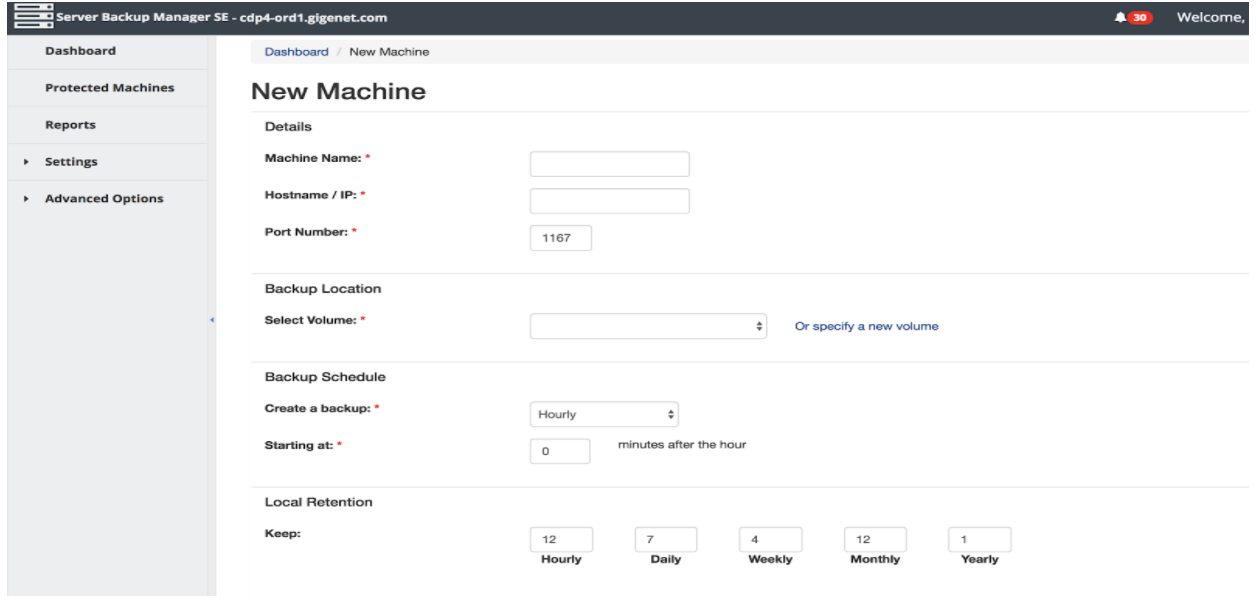
If your servers are with us, every GigeNET dedicated server order form includes 1 TB of R1Soft backup space at $0 by default. R1Soft isn’t open source, which is why it’s not in the table. Here’s the add-machine form from our 2018 test:

For the offsite copy, you can run restic, Borg or Bareos against a storage server in a different building from the data it protects, or let us handle it with managed offsite Veeam backup. Not sure which fits? Tell us what you need to protect and we’ll suggest a setup.
Not ready to order yet?
Tell us what you need protected and how much data, and we’ll email you the options and the price. Rather talk it through? Call (800) 561-2656.

